Valheim server setup and 1.0 guides
Learn how to set up, join, update, and protect a Valheim dedicated server for the September 9, 2026 1.0 and Deep North release, including existing-world and crossplay guidance.
Valheim 1.0 launches on September 9, 2026 with the completed Deep North biome and crossplay across PC, Mac, Linux, Xbox, PlayStation 5, and Nintendo Switch 2. A persistent dedicated server keeps the same world online for your group even when its original host is away.
Prepare for Valheim 1.0
Decide whether to keep your world or start over, and take the right backup before updating.
Set up a Valheim serverOrder and configure a persistent berrybyte server, or install one yourself with SteamCMD.
Join on PS5, Switch 2 and XboxShare the six-digit crossplay join code, and fix a code that has stopped working.
Can't connect after 1.0?Check versions first, then the join code, crossplay, mods, password, and allowlist.
Incompatible version?Update the dedicated server so it matches the player's game client.
Crossplay or mods?Console players cannot mod. Pick the right server before your group commits to one.
Upload or migrate a worldMove the matching .db and .fwl files from single-player or another host.
Back up your serverCreate and verify a restorable backup before the 1.0 update reaches your world.
What changes on September 9
Iron Gate's Valheim 1.0 FAQ confirms:
- The Deep North is the focus of the 1.0 content update.
- Existing worlds and saves remain playable.
- New biome generation works properly only in areas nobody has explored.
- A fresh world is recommended, but not required.
- The player limit remains 1–10.
- Full crossplay is planned across every 1.0 platform.
- There is no public test branch before launch.
- Mods have no official support and may need updates after 1.0 ships.
For the release date and platform announcement, see Valheim Has A Release Date from Iron Gate.
Valheim on berrybyte
berrybyte installs the Valheim dedicated server, with crossplay enabled by default on the Vanilla software. BepInEx starts with crossplay off because console clients cannot load PC mods. From the dashboard you can start and stop the server, change its name, password, world, visibility, update behavior, crossplay, and built-in backup schedule.
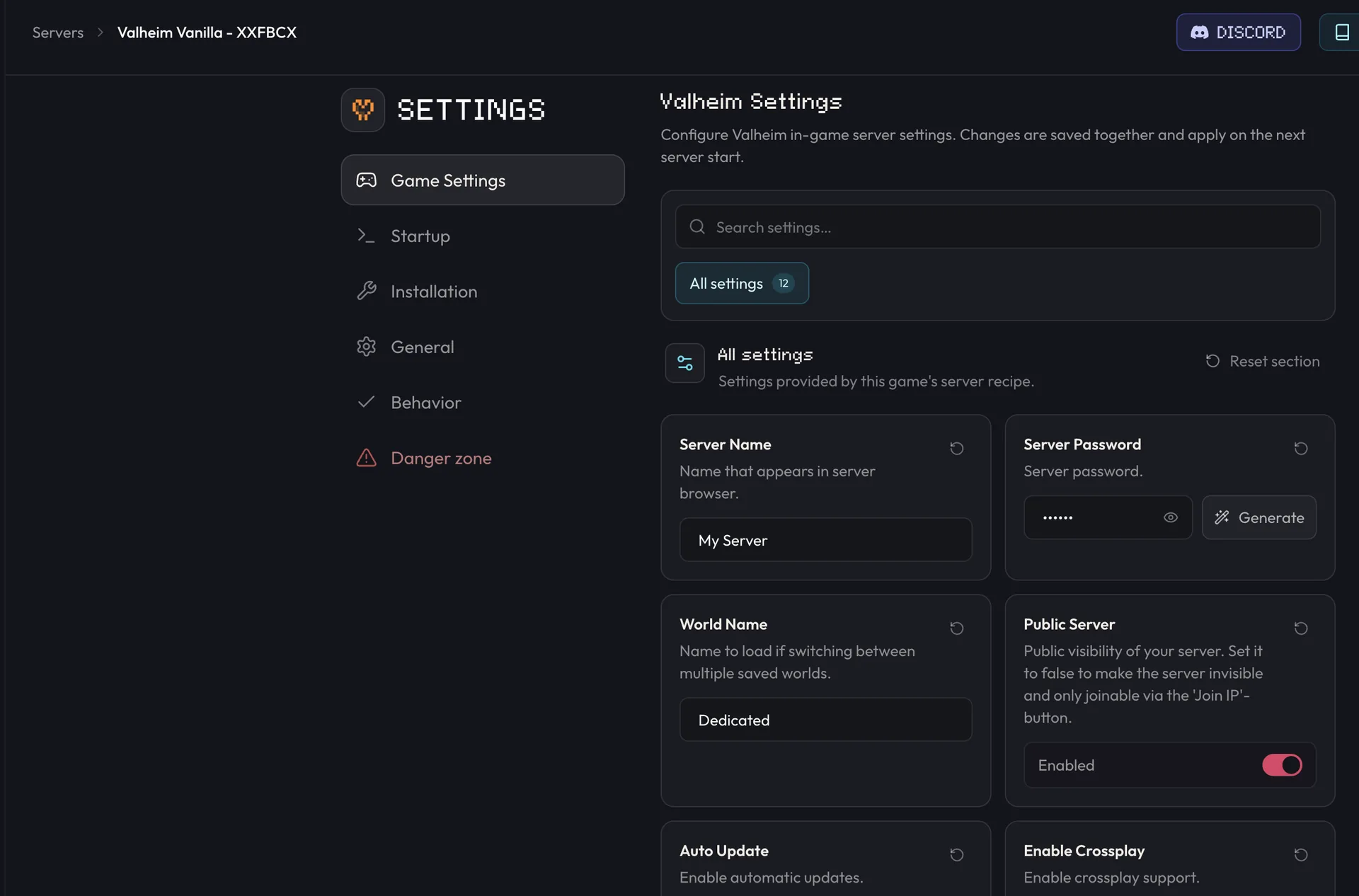
Your plan includes 10 player slots and starts at the 20%-off launch price of $15.96 per month (normally $19.95). Open Valheim server hosting to choose a region and start a server.
Which guide should I use?
I already have a long-running world
Start with Valheim 1.0 and the Deep North. It explains explored terrain, backups, and the tradeoff between preserving builds and seeing the complete new biome. Then follow Upload or migrate a Valheim world to move the matching save files.
I want a clean world for 1.0
Follow Set up a Valheim dedicated server, then wait until the 1.0 build is live before generating the world you intend to keep.
My group mixes PC and consoles
Keep Enable Crossplay on, then follow joining on PS5, Switch 2 and Xbox. Console players cannot install mods at all, so plan an unmodded server. Crossplay or mods covers the trade-off.
Valheim says it failed to connect
Follow the ordered connection diagnostic. Match the client and server versions before changing anything else, especially immediately after the 1.0 update.
Valheim says incompatible version
The dedicated server missed a patch the player's client already has. Follow Update your Valheim server. On berrybyte, enable Auto update on start and restart.
My current server uses mods
Back it up, keep a list of every installed mod, and expect to wait for BepInEx and individual mod updates after 1.0. Do not test the only copy of your world on launch day. Follow Install BepInEx mods, match every required client dependency, and verify the BepInEx log before players join.
Manage your Valheim server
Install the Valheim-specific framework, match client dependencies, and verify LogOutput.log.
Admin and console commandsAdd Platform User IDs, enable F5, and use the vanilla dedicated-server moderation commands.
Upload or migrate a worldMove a local save or another host's world without losing the required .db/.fwl pair.
Best Valheim server modsQuality-of-life, storage, building and server-side-only picks, with the 1.0 compatibility caveat spelled out.
How many players can join?The official 10-player cap, crossplay slots, and options for a larger group.
How much RAM does Valheim need?Practical sizing for vanilla, long-running, and modded worlds.
Frequently asked questions
When does Valheim 1.0 release?
Valheim 1.0 and the Deep North release on September 9, 2026. Iron Gate has announced the same-day release for PC, Linux, Mac, Xbox One, Xbox Series X|S, PlayStation 5, and Nintendo Switch 2.
Do I need a new world for Valheim 1.0?
No. Iron Gate says existing saves keep working and receive new content, but Deep North biome generation only works properly in areas that have not been explored. Iron Gate recommends starting a new world for the best complete 1.0 experience.
Does Valheim 1.0 support crossplay?
Yes. Iron Gate has announced crossplay between all 1.0 platforms. A dedicated server must run with crossplay enabled for non-Steam players to join.
How many players can join a Valheim 1.0 server?
Valheim 1.0 remains a 1–10 player game. Iron Gate confirmed that the player limit is unchanged for 1.0.
Will Valheim mods work on the 1.0 release date?
Not necessarily. Valheim has no official mod support, there is no public test branch before 1.0, and mod authors may need time to update BepInEx and individual mods after launch.