FiveM Server Hosting
Launch a FiveM roleplay server with txAdmin built in, ESX or QBCore in one click, and artifacts kept up to date. Live in seconds.
Configure your server
- PC
Live in under 60 seconds:
Free subdomain
NVMe SSD storage
Powerful AMD CPUs
Automatic backups
Fast support
DDoS protection
FiveM Server Hosting
GTA V roleplay hosting with txAdmin built in, one-click ESX or QBCore deployment, artifacts kept current, and hardware for high-pop RP communities.
txAdmin, Built In
The management panel every serious FiveM server runs on — live console, player management, recipe deployment, and restarts from the web. No separate install, no wrangling a second VPS for admin tools.
One-Click ESX & QBCore
Deploy your RP framework at setup via txAdmin recipe. Pick Vanilla, ESX Legacy, or QBCore at checkout and join a community that is already running jobs, inventory, and economy scripts — not an empty FXServer folder.
Artifacts, Kept Updated
FXServer artifacts move fast. Update your server build in one click from the panel so you stay compatible with Cfx.re releases — the maintenance task most hosts never document.
Add Resources Easily
Drop scripts, MLOs, and custom resources into your server and manage them from the panel or txAdmin. Full file access when a resource needs manual tuning.
Built for Big RP Servers
High-pop roleplay with dozens of resources is RAM- and CPU-heavy. We run hardware with headroom for busy city servers, not just empty test instances.
FiveM server requirements
| 12 slots | Small RP / testing community |
|---|---|
| 24 slots | Growing city server |
| 32 to 48 slots | High-pop RP with many resources |
| RAM | Framework + resource count drive load more than slots alone |
| License | Cfx.re Keymaster server key required |
| Panel | txAdmin included |
Your FiveM server, all in one place.
FiveM hosting with one-click setup, Ryzen hardware, and a panel for the day-to-day.
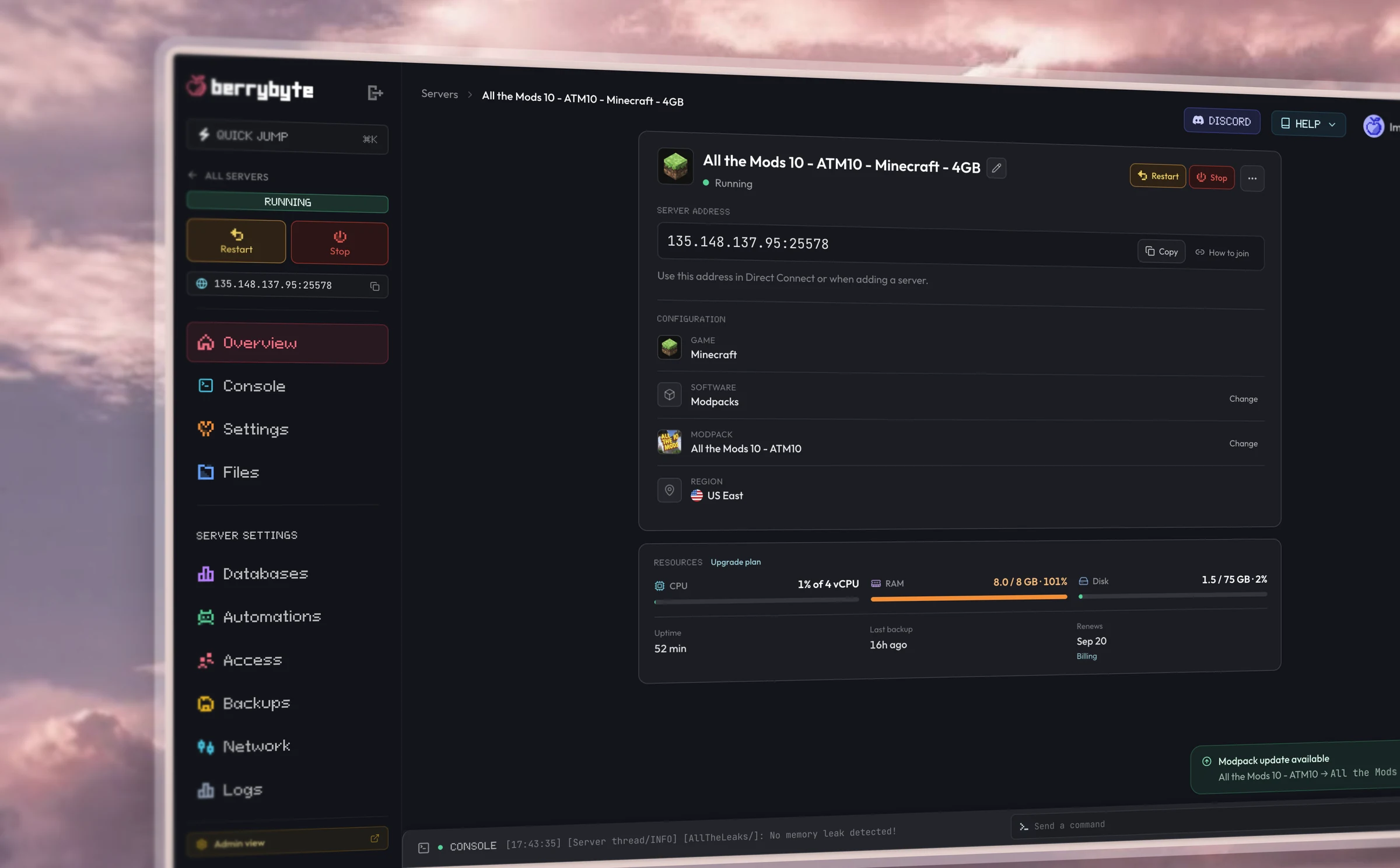
Dashboard
Simple browser controls.
Restart, console, files, settings, and backups from one place in your browser.
Hardware
Fast performance.
AMD Ryzen CPUs, Gen 4 NVMe storage, and DDoS protection included in every plan.
Setup
One-click server setup.
Pick a plan, start the server, and invite your friends. Live in seconds.
Some berry guides
Guides coming soon
We're writing guides for FiveM server hosting. Check back soon.
Frequently asked questions
FiveM questions
How do I update my FiveM server (artifacts)?
Update your FXServer build in one click from the panel. Keeping artifacts current is the maintenance task every FiveM owner hits — we handle the binary swap so your server stays compatible with Cfx.re updates.
ESX or QBCore — which should I pick?
ESX Legacy is the long-running RP standard with a huge resource library. QBCore (and the Qbox fork) is newer, lighter, and popular with fresh communities. Pick ESX or QBCore at checkout and we deploy via txAdmin recipe — see our framework comparison guide for the full breakdown.
How do I set up txAdmin on my FiveM server?
txAdmin ships built in on every berrybyte FiveM server. Open the txAdmin URL from your panel, create your admin account, and manage console, players, and recipes from the web UI.
How do I add resources and scripts?
Upload resources to your server folder via SFTP or the file manager, then enable them in server.cfg or through txAdmin. The panel gives you direct file access when a script needs manual config.
Why isn't my server showing in the FiveM server list?
Most list issues come from an outdated artifacts build, a missing or invalid license key from Keymaster, firewall/port blocks, or server.cfg errors. Our troubleshooting guide walks through each fix in order.
How many players can I host on FiveM?
Plans scale from small 12-slot communities to 48+ for busy RP servers. Real capacity depends on your framework, resource count, and MLO load — heavy script stacks need higher tiers even at the same slot count.
Getting started
How fast is setup?
Your server goes live the moment you check out. Most players are online within a minute.
Do I need any technical knowledge?
Everything runs from a simple control panel. You can start your server, install mods, and change settings in a few clicks.
Can I switch games later?
Each server runs one game. Create a new server for a different title, and keep the old world as a Server Save if you want to return to it.
Server plans
What if I need more RAM or storage?
Upgrade your plan in a couple of clicks. Your world, mods, and settings carry straight over.
Do you offer backups?
Yes. Automatic backups are included on every plan, and you can take manual snapshots anytime.
Can I upgrade anytime?
Yes. Scale up whenever your community grows, and you only pay the difference.
Billing
What payment methods do you take?
All major credit and debit cards and PayPal.
Do you offer a money-back guarantee?
Yes. If you are unhappy with a new purchase, tell us within 3 days and we will issue a full refund.
Can I cancel anytime?
Yes. Cancel from your dashboard whenever you like. There are no contracts and no cancellation fees.
Do you discount yearly billing?
Yes. Yearly includes three months free; you pay for nine months and get twelve.
Locations & support
Where are your servers?
We host in low-latency locations across North America, Europe, and Asia, so you can play close to home.
How do I get support?
Open a ticket or message us on Discord. Our team of real gamers and engineers replies fast.
Is DDoS protection included?
Yes. Enterprise-grade DDoS protection comes standard on every server at no extra cost.