Soulmask Server Hosting
Run a Soulmask tribe server that stays online through Early Access patches. Admin tools, persistent saves, and updates handled for you.
Configure your server
- PC
- Steam
Live in under 60 seconds:
Free subdomain
NVMe SSD storage
Powerful AMD CPUs
Automatic backups
Fast support
DDoS protection
Soulmask Server Hosting
Tribe survival in active Early Access with updates handled, persistent worlds, and admin tools for your mask-powered crew.
We Keep Your Server Updated
Soulmask is in active Early Access with frequent patches. We pull new builds as they land so you are not manually updating after every release — restart when notified and your tribe is back.
Tribe Survival, Always Online
Recruit NPCs, unlock mask powers, and keep your tribe's progress on a dedicated server that runs whether or not the host is online. Persistent saves and backups protect your base between raids.
Settings & Admin Control
Tune server rules from the panel and use admin commands for moderation. Soulmask's EA config evolves with the game — we keep file access simple when you need to dig in.
Soulmask server requirements
| RAM (small tribe) | 8 GB |
|---|---|
| RAM (busy server) | 10 to 12 GB |
| CPU | High single-thread clock recommended |
| Storage | NVMe SSD |
| Status | Active Early Access — expect frequent updates |
Your Soulmask server, all in one place.
Soulmask hosting with one-click setup, Ryzen hardware, and a panel for the day-to-day.
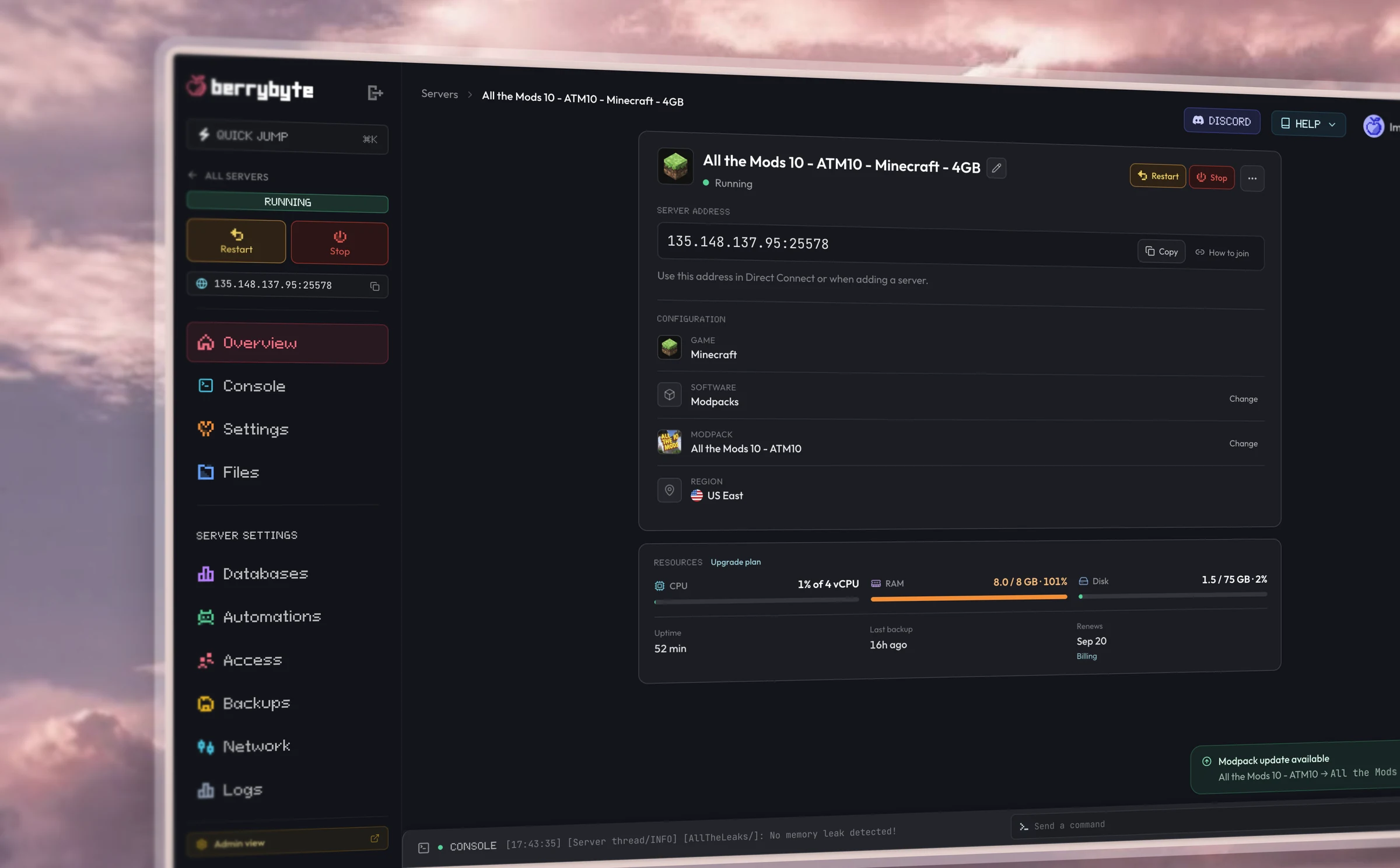
Dashboard
Simple browser controls.
Restart, console, files, settings, and backups from one place in your browser.
Hardware
Fast performance.
AMD Ryzen CPUs, Gen 4 NVMe storage, and DDoS protection included in every plan.
Setup
One-click server setup.
Pick a plan, start the server, and invite your friends. Live in seconds.
Some berry guides
Guides coming soon
We're writing guides for Soulmask server hosting. Check back soon.
Frequently asked questions
Soulmask questions
How do I update my Soulmask server?
We keep your server on the latest Early Access build as patches land. Restart from the panel after an update notification, or enable automatic updates.
How many players can join a Soulmask server?
Player cap depends on your plan slot tier and server config. Soulmask is fairly heavy — plan for 8 GB RAM or more for a busy tribe.
Can I change Soulmask server settings?
Yes. Edit your server config from the panel or SFTP to tune difficulty, PvP rules, and tribe settings.
How do I add admins to my Soulmask server?
Add admin credentials in your server config and use in-game admin commands for moderation and tribe management.
Is my Soulmask world saved?
Yes. Your tribe's persistent world is saved on disk with automatic backups between sessions.
Getting started
How fast is setup?
Your server goes live the moment you check out. Most players are online within a minute.
Do I need any technical knowledge?
Everything runs from a simple control panel. You can start your server, install mods, and change settings in a few clicks.
Can I switch games later?
Each server runs one game. Create a new server for a different title, and keep the old world as a Server Save if you want to return to it.
Server plans
What if I need more RAM or storage?
Upgrade your plan in a couple of clicks. Your world, mods, and settings carry straight over.
Do you offer backups?
Yes. Automatic backups are included on every plan, and you can take manual snapshots anytime.
Can I upgrade anytime?
Yes. Scale up whenever your community grows, and you only pay the difference.
Billing
What payment methods do you take?
All major credit and debit cards and PayPal.
Do you offer a money-back guarantee?
Yes. If you are unhappy with a new purchase, tell us within 3 days and we will issue a full refund.
Can I cancel anytime?
Yes. Cancel from your dashboard whenever you like. There are no contracts and no cancellation fees.
Do you discount yearly billing?
Yes. Yearly includes three months free; you pay for nine months and get twelve.
Locations & support
Where are your servers?
We host in low-latency locations across North America, Europe, and Asia, so you can play close to home.
How do I get support?
Open a ticket or message us on Discord. Our team of real gamers and engineers replies fast.
Is DDoS protection included?
Yes. Enterprise-grade DDoS protection comes standard on every server at no extra cost.